Replacement keys for the Apple Magic Keyboard
A broken key on a Magic Keyboard has no official fix: Apple sells no keys on their own, and its service route replaces the whole keyboard. We take genuine Magic Keyboards apart and sell the keys one at a time, with their scissor hinge. The catch is ordering the right one — Apple has sold eight different keyboards under the name “Magic Keyboard” in ten years. The table below identifies yours the moment you turn the keyboard over.
In stock today
Every key comes off a keyboard dismantled by hand: once a position is gone it does not come back, as there is no restocking. The figures below follow real stock, chassis by chassis.
- Compact Magic Keyboard —no keys in stock at the moment.
- Magic Keyboard with numeric keypad —99 keys available, from €8.99 to €14.90.
Identifying your Magic Keyboard
The model number is engraved underneath the case in very small type, as an A followed by four digits. It is the only reliable criterion: the marketing name does not separate the generations, and two keyboards from the same year can take different keys. If the engraving is unreadable, the key in the top-right corner and the charging port settle it.
| Model | Year | Chassis | Top-right key | Charging |
|---|---|---|---|---|
| A1644 | 2015 | Compact | Eject ⏏ | Lightning |
| A2450 | 2021 | Compact | Lock | Lightning |
| A2449 | 2021 | Compact | Touch ID | Lightning |
| A3203 | 2024 | Compact | Lock | USB-C |
| A3118 | 2024 | Compact | Touch ID | USB-C |
| A1843 | 2017 | Numeric keypad | Eject ⏏ | Lightning |
| A2520 | 2021 | Numeric keypad | Touch ID | Lightning |
| A3119 | 2024 | Numeric keypad | Touch ID | USB-C |
Cannot find the number? Tell us the top-right key and the connector type when you order: we check the match before dispatch, and the 30-day money-back guarantee covers any compatibility issue.
The Touch ID key cannot be replaced
It is the keyboard's one exception, and it applies to every seller. Touch ID is not a cap sitting on a hinge: it is a biometric sensor under sapphire, bonded to the keyboard's board. No spare part replaces it, here or anywhere else. Every other key on the keyboard replaces normally — including on models fitted with Touch ID.
Why Apple sells no single key
The official channel does not carry the part: at an authorised service provider, one broken key leads to replacing the entire keyboard, at a price bearing no relation to the value of the part. The cap and its hinge are a few grams of plastic on a keyboard weighing two hundred. That imbalance is what sends perfectly working Magic Keyboards to landfill over a tab a few millimetres across — and it is exactly what this catalogue exists to prevent.
What you receive
The genuine cap, taken from a dismantled Magic Keyboard, together with its scissor hinge. That second point is not a detail: cap sets sold by generic resellers stop at the cap, while the part that fails first is almost always the plastic hinge underneath. Receiving a bare cap when the hinge is what gave way repairs nothing. The keys are used and in excellent condition — a genuine part, not a moulded copy.
Per-key pricing
A Magic Keyboard letter or digit costs €8.99, the same as on our Logitech range. The rest follows the supply, which is far scarcer — a second-hand Magic Keyboard does not come apart at the price of a PC keyboard: €11.90 for a function, navigation or keypad key, €14.90 for a modifier (⌘, ⌥, ⇧, control, tab, return), €19.90 for the space bar. That is the price list, not a stock report: what can actually be ordered today is set out at the top of this page, and never every position at once. Tracked letter shipping is €2 to France, €5 to the rest of Europe and €9 outside Europe (North America, Asia-Pacific, United Arab Emirates), with no minimum order.
An MX Keys key will not fit
The question comes up often, because both brands use a scissor mechanism and flat keyboards that look alike. The caps are not interchangeable: the mounting footprints differ, and an MX Keys key will not sit on a Magic Keyboard. The reverse holds too. That is why the Apple keys form a separate range here, with their own references and their own photographs.
Two chassis, one logic
The Magic Keyboard comes in a compact version and one with a numeric keypad. The chassis decides which part to order, not the year or the presence of Touch ID: those affect one key and the connector, nothing more. A letter from the compact version and the same letter from the numeric-keypad version are two distinct listings, each photographed on its own keyboard.
Fitted in under a minute
Place the cap over the hinge and press straight down in the centre until it clicks. No tools, no disassembly, no Bluetooth re-pairing: the keyboard behaves normally the moment the key is seated. If the original hinge is split, clear the fragments first — the one supplied with the key replaces it. Wide keys, the space bar above all, also ride on a metal stabiliser bar that must be re-seated in its clips before the cap goes on.
A few keys in stock
Magic Keyboard with numeric keypad
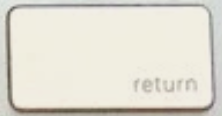
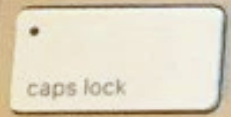
Every Magic Keyboard key in the catalogue
289 keys are listed across both chassis, AZERTY and QWERTY combined, 99 of them orderable today. Each has its own page, with its price and availability.
- A8,99 €
- B8,99 €
- C8,99 €
- D8,99 €
- E8,99 €
- F8,99 €
- G8,99 €
- H8,99 €
- I8,99 €
- J8,99 €
- K8,99 €
- L8,99 €
- M8,99 €
- N8,99 €
- O8,99 €
- P8,99 €
- Q8,99 €
- R8,99 €
- S8,99 €
- T8,99 €
- U8,99 €
- V8,99 €
- W8,99 €
- X8,99 €
- Y8,99 €
- Z8,99 €
- ! / 88,99 €
- " / 38,99 €
- & / 18,99 €
- ' / 48,99 €
- ( / 58,99 €
- ) / °8,99 €
- - / _8,99 €
- @ / #8,99 €
- § / 68,99 €
- à / 08,99 €
- ç / 98,99 €
- è / 78,99 €
- é / 28,99 €
- F111,90 €
- F1011,90 €
- F1111,90 €
- F1211,90 €
- F211,90 €
- F311,90 €
- F411,90 €
- F511,90 €
- F611,90 €
- F711,90 €
- F811,90 €
- F911,90 €
- esc11,90 €
- Barre d'espace19,90 €
- Commande droite ⌘14,90 €
- Commande gauche ⌘14,90 €
- Contrôle ⌃14,90 €
- Entrée ⏎14,90 €
- Majuscule droite ⇧14,90 €
- Majuscule gauche ⇧14,90 €
- Option droite ⌥14,90 €
- Option gauche ⌥14,90 €
- Suppression ⌫14,90 €
- Tabulation ⇥14,90 €
- Verr. maj ⇪14,90 €
- fn / 🌐14,90 €
- Flèche bas ↓11,90 €
- Flèche droite →11,90 €
- Flèche gauche ←11,90 €
- Flèche haut ↑11,90 €
- $ / *11,90 €
- , / ?11,90 €
- : / /11,90 €
- ; / .11,90 €
- < / >11,90 €
- = / +11,90 €
- ^ / ¨11,90 €
- ` / £11,90 €
- ù / %11,90 €
- A8,99 €
- B8,99 €
- C8,99 €
- D8,99 €
- E8,99 €
- F8,99 €
- G8,99 €
- H8,99 €
- I8,99 €
- J8,99 €
- K8,99 €
- L8,99 €
- M8,99 €
- N8,99 €
- O8,99 €
- P8,99 €
- Q8,99 €
- R8,99 €
- S8,99 €
- T8,99 €
- U8,99 €
- V8,99 €
- W8,99 €
- X8,99 €
- Y8,99 €
- Z8,99 €
- ! / 88,99 €
- " / 38,99 €
- & / 18,99 €
- ' / 48,99 €
- ( / 58,99 €
- ) / °8,99 €
- - / _8,99 €
- @ / #8,99 €
- § / 68,99 €
- à / 08,99 €
- ç / 98,99 €
- è / 78,99 €
- é / 28,99 €
- F111,90 €
- F1011,90 €
- F1111,90 €
- F1211,90 €
- F211,90 €
- F311,90 €
- F411,90 €
- F511,90 €
- F611,90 €
- F711,90 €
- F811,90 €
- F911,90 €
- esc11,90 €
- Barre d'espace19,90 €
- Commande droite ⌘14,90 €
- Commande gauche ⌘14,90 €
- Contrôle ⌃14,90 €
- Entrée ⏎14,90 €
- Majuscule droite ⇧14,90 €
- Majuscule gauche ⇧14,90 €
- Option droite ⌥14,90 €
- Option gauche ⌥14,90 €
- Suppression ⌫14,90 €
- Tabulation ⇥14,90 €
- Verr. maj ⇪14,90 €
- fn / 🌐14,90 €
- Début ↖11,90 €
- Fin ↘11,90 €
- Flèche bas ↓11,90 €
- Flèche droite →11,90 €
- Flèche gauche ←11,90 €
- Flèche haut ↑11,90 €
- Page précédente ⇞11,90 €
- Page suivante ⇟11,90 €
- Suppr. avant ⌦11,90 €
- $ / *11,90 €
- , / ?11,90 €
- : / /11,90 €
- ; / .11,90 €
- < / >11,90 €
- = / +11,90 €
- ^ / ¨11,90 €
- ` / £11,90 €
- ù / %11,90 €
- Pavé +11,90 €
- Pavé ,11,90 €
- Pavé 011,90 €
- Pavé 011,90 €
- Pavé 111,90 €
- Pavé 211,90 €
- Pavé 311,90 €
- Pavé 411,90 €
- Pavé 511,90 €
- Pavé 611,90 €
- Pavé 711,90 €
- Pavé 811,90 €
- Pavé 911,90 €
- Pavé =11,90 €
- Pavé Entrée ⌤11,90 €
- Pavé ×11,90 €
- Pavé ÷11,90 €
- Pavé −11,90 €
- Verr. num ⌧11,90 €
- A8,99 €
- B8,99 €
- C8,99 €
- D8,99 €
- E8,99 €
- F8,99 €
- G8,99 €
- H8,99 €
- I8,99 €
- J8,99 €
- K8,99 €
- L8,99 €
- M8,99 €
- N8,99 €
- O8,99 €
- P8,99 €
- Q8,99 €
- R8,99 €
- S8,99 €
- T8,99 €
- U8,99 €
- V8,99 €
- W8,99 €
- X8,99 €
- Y8,99 €
- Z8,99 €
- ! / 18,99 €
- # / 38,99 €
- $ / 48,99 €
- % / 58,99 €
- & / 78,99 €
- ( / 98,99 €
- ) / 08,99 €
- * / 88,99 €
- @ / 28,99 €
- ^ / 68,99 €
- F111,90 €
- F1011,90 €
- F1111,90 €
- F1211,90 €
- F1311,90 €
- F1411,90 €
- F1511,90 €
- F1611,90 €
- F1711,90 €
- F1811,90 €
- F1911,90 €
- F211,90 €
- F311,90 €
- F411,90 €
- F511,90 €
- F611,90 €
- F711,90 €
- F811,90 €
- F911,90 €
- esc11,90 €
- Éjecter ⏏11,90 €
- Barre d'espace19,90 €
- Commande droite ⌘14,90 €
- Commande gauche ⌘14,90 €
- Contrôle droite ⌃14,90 €
- Contrôle gauche ⌃14,90 €
- Entrée ⏎14,90 €
- Majuscule droite ⇧14,90 €
- Majuscule gauche ⇧14,90 €
- Option droite ⌥14,90 €
- Option gauche ⌥14,90 €
- Suppression ⌫14,90 €
- Tabulation ⇥14,90 €
- Verr. maj ⇪14,90 €
- fn14,90 €
- Début ↖11,90 €
- Fin ↘11,90 €
- Flèche bas ↓11,90 €
- Flèche droite →11,90 €
- Flèche gauche ←11,90 €
- Flèche haut ↑11,90 €
- Page précédente ⇞11,90 €
- Page suivante ⇟11,90 €
- Suppr. avant ⌦11,90 €
- " / '11,90 €
- + / =11,90 €
- : / ;11,90 €
- < / ,11,90 €
- > / .11,90 €
- ? / /11,90 €
- _ / -11,90 €
- { / [11,90 €
- | / \11,90 €
- } / ]11,90 €
- ~ / `11,90 €
- Pavé *11,90 €
- Pavé +11,90 €
- Pavé .11,90 €
- Pavé /11,90 €
- Pavé 011,90 €
- Pavé 111,90 €
- Pavé 211,90 €
- Pavé 311,90 €
- Pavé 411,90 €
- Pavé 511,90 €
- Pavé 611,90 €
- Pavé 711,90 €
- Pavé 811,90 €
- Pavé 911,90 €
- Pavé =11,90 €
- Pavé Clear11,90 €
- Pavé Entrée ⌤11,90 €
- Pavé −11,90 €
Frequently asked questions
Does Apple sell individual Magic Keyboard keys?▾
No. Apple sells no key on its own, for any model, and going through service ends in replacing the whole keyboard. That is why this catalogue exists: the keys sold here come from genuine Magic Keyboards that have been taken apart.
How do I tell which Magic Keyboard I have?▾
Turn the keyboard over: the model number is engraved underneath the case as an A followed by four digits. The compact models are A1644, A2450, A2449, A3203 and A3118; the numeric-keypad ones are A1843, A2520 and A3119. Failing that, the top-right key — Touch ID, lock or eject — and the charging port, Lightning or USB-C, settle it.
Is the hinge included with the key?▾
Yes, always. It is what separates our keys from the cap sets sold elsewhere, which stop at the cap. The part that fails first is the plastic hinge underneath: a bare cap does not repair a split hinge.
Can the Touch ID key be replaced?▾
No. Touch ID is a biometric sensor bonded to the keyboard's board, not a removable cap: no spare part exists, from us or anyone else. Every other key on a Touch ID keyboard replaces normally.
Can a Logitech MX Keys key replace a Magic Keyboard key?▾
No. Both keyboards use a scissor mechanism, but their caps have different mounting footprints and do not interchange, in either direction.
Are the keys new?▾
They are genuine used parts in excellent condition, taken from dismantled Magic Keyboards. We make no copies: the key you receive is a real Apple key, with its original legend and finish.
What if the key does not match my keyboard?▾
The 30-day money-back guarantee applies, return included. We would rather you gave us your keyboard's model number when ordering: we check the match before dispatch, which saves the round trip.
Find your key
The catalogue filters by model, layout and key type. Pick the chassis matching the reference you read underneath your keyboard.
Updated on 2026-10-02