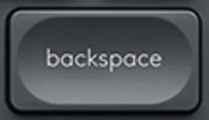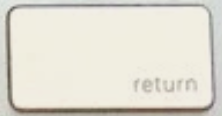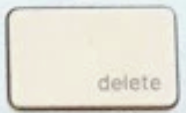
Suppression ⌫ replacement key QWERTY (US) White for Apple Magic Keyboard with Numeric Keypad
Suppression ⌫Replacement key for keyboard Apple Magic Keyboard with Numeric Keypad
Colour: White
This key is out of stock
Suppression ⌫ — QWERTY (US)
The Suppression ⌫ key is out of stock in QWERTY (US) on the site. Our keys are usually available to order within 7 to 15 days, and sometimes already in stock. Leave us your email or chat with us: we will check our stock and get back to you.
Only need the white plastic hinge?
Is your key fine and only the hinge broken? Click the button and leave your email: we'll get back to you if we have the hinge in stock.
We have this key for these layouts
No other layout has it in stock today.
Not sure?
Not sure this is the right key, or have another question? Ask us on the chat, we'll reply as soon as possible.
Ask a questionVery easy to replace
2 minutes, no need to take the keyboard apart. No skills required.
- Lift the old key by one corner, straight up, with a fingernail or a spudger.
- Clip the supplied hinge onto its hooks.
- Set the new key on top and press the centre until it clicks.
Worried about getting it wrong? We'll send you a video.
Tell us which key you are replacing and we'll send you a video showing, step by step, how to remove it and fit the new one. Free, before or after you order.
Ask for the videoRecommended tools for some keys
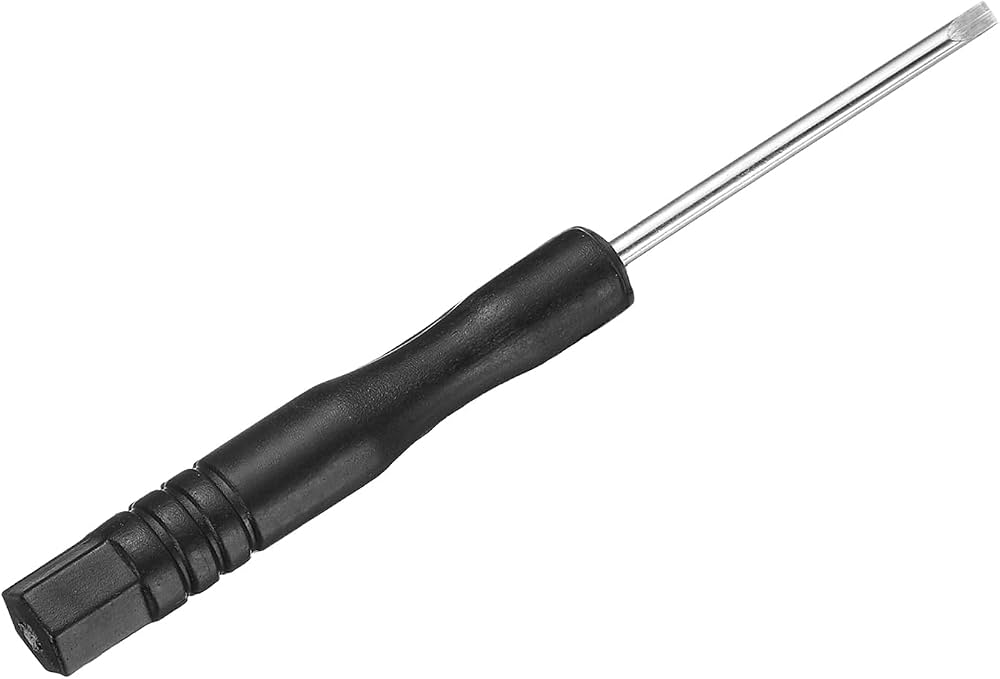
Optional but handy: the spudger lifts the key without scratching or bending the mechanism, and the thin blade of the flat screwdriver unhooks the plastic hinge and helps clip it back in.

Specifications
- Category
- Modifiers
- Keyboard layout
- QWERTY (US)
- Compatibility
- Magic Keyboard + numeric (Apple)
- Color
- White
- Size
- 1.5U
About the Suppression ⌫ key
Lost the Suppression ⌫ key on your Apple Magic Keyboard with Numeric Keypad? This is the matching genuine part, hinge included — Apple sells no individual keys, and its service option is to replace the whole keyboard. Each order covers the single key shown: you are not buying a full cap set to fix one missing key.
Compatibility
This Suppression ⌫ key is taken from a Apple Magic Keyboard with Numeric Keypad and refits the same chassis. Your keyboard's model number is engraved underneath the case in small type: A1843, A2520 et A3119 for the numeric keypad model. That number is what decides compatibility, not the marketing name — Apple has sold seven different keyboards called "Magic Keyboard" in ten years. Give us that reference when you order: we check the match before dispatch, and the 30-day money-back guarantee covers any compatibility issue. The legend matches the QWERTY (US) layout, so the printed characters are the ones on your keyboard rather than another language's.
Why the Suppression ⌫ key breaks
The Suppression ⌫ key is a modifier, held down and combined all day long. On the Apple Magic Keyboard with Numeric Keypad that firm, repeated pressure tires out the hinge clips well before the rest of the keyboard — it is one of the first keys to go.
How to fit it
Place the cap over the scissor hinge and press straight down in the centre until it clicks. No tools, no disassembly, no Bluetooth re-pairing: the keyboard works the moment the key is seated. If the original hinge is split — the most common failure, ahead of the cap itself — clear the fragments out before clipping in the one supplied.
Suppression ⌫ key — frequently asked questions
- How do I know this Suppression ⌫ key fits my keyboard?
- Turn the keyboard over: the model number is engraved underneath the case as an A followed by four digits (A1843, A2520 et A3119 for the numeric keypad model). Send it with your order. The quickest visual check is the key in the top-right corner — Touch ID, lock or eject — together with the charging port, Lightning or USB-C.
- Does Apple sell individual Magic Keyboard keys?
- No. Apple sells no keys on their own, and its service route replaces the whole keyboard rather than one key. That is why this listing exists: the key sold here comes from a genuine Apple Magic Keyboard with Numeric Keypad that has been taken apart, so the repair costs what a part costs instead of what a keyboard costs.
- Can an MX Keys key replace this one?
- No. Logitech's flat keyboards and the Apple Magic Keyboard with Numeric Keypad both use a scissor mechanism, but their caps have different mounting footprints and do not interchange. An MX Keys key will not sit on a Magic Keyboard, and the reverse holds too.
- Is the hinge included with the Suppression ⌫ key?
- Yes. The cap ships with its scissor hinge, so you can repair a key whose clip has given way — by far the most common failure — and not only a cracked cap.
- What about the Touch ID key — can that be replaced?
- No, and it is the one exception. Touch ID is not a keycap: it is a biometric sensor under sapphire, bonded to the keyboard's board. No part replaces it, from any seller. Every other key on the keyboard remains repairable as normal.
Check your keyboard's brand
You are looking at a Apple key. Keycap and hinge differ between brands: this key will not fit an Logitech keyboard.
Logitech keys in the catalogue