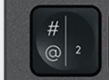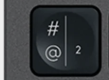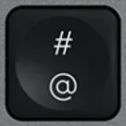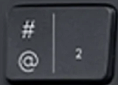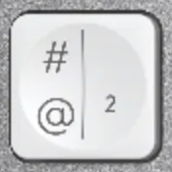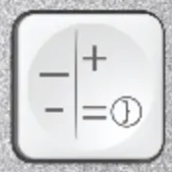
+ / = replacement key AZERTY (FR) White for Logitech MX Keys Mini
+ / =Replacement key for keyboard Logitech MX Keys Mini
Colour: White
This MX Keys (PC) key fits the MX Keys Mini as is: same keycap, same clip. Only the colour differs.
This key is out of stock
+ / = — AZERTY (FR)
The + / = key is currently unavailable in AZERTY (FR). Our keys come from second-hand keyboards taken apart one at a time, so we cannot promise a restock date.
We have this key for these layouts
Same part, taken from a keyboard of another layout or from another compatible keyboard: the printed legend, or even the colour, may differ slightly.

Specifications
- Category
- Special
- Keyboard layout
- AZERTY (FR)
- Compatibility
- MX Keys Mini
- Color
- White
- Size
- 1U (standard)
About the + / = replacement key
Lost or broke the + / = key on your Logitech MX Keys? This is the precise replacement, hinge included — far cheaper and faster than buying a whole new keyboard. Each order is the single + / = key shown — pick exactly the key you need and keep typing in minutes.
Compatibility
This + / = keycap is cut for AZERTY (FR) keyboards and fits the MX Keys Mini as well as the full-size MX Keys, MX Keys S and MX Keys for Mac: across the alphanumeric block, both chassis use the same 1U cap. The legend and character set match the AZERTY (FR) layout, so the key you receive is exactly the one printed on your keyboard.
Why the + / = key fails
The + / = key carries the punctuation and symbols specific to your keyboard layout. Getting the exact + / = legend matters — a key from another layout would print the wrong characters even if it physically fits. Because we sell each key individually, you only pay for the key you actually need.
How to install it
Replacing the + / = key takes under a minute and needs no tools. Line the new cap up over the white scissor hinge and press straight down until you feel a soft click. The plastic key cap hinge is included, so you can also fix a key that lost its clip — not just the visible cap.
+ / = key — questions
- Does this + / = key fit my Logitech MX Keys?
- Yes — it is made for AZERTY (FR) MX Keys Mini and the shared MX Keys key profile (MX Keys, MX Keys S, MX Keys Mini and MX Keys for Mac). Just confirm your keyboard uses the AZERTY (FR) layout so the printed characters match.
- Is the hinge included with the + / = key?
- Yes. Every + / = replacement ships with the scissor key cap hinge and the rubber dome cup, so you can repair a key that lost its clip or no longer springs back — not only a cracked cap.
- My + / = key still doesn't work after I replaced the cap — why?
- If the key was unresponsive rather than just physically broken, the fault is usually the scissor hinge or the rubber cup underneath. Both are included here, so replace the full mechanism and test again.
Check your keyboard's brand
You are looking at a Logitech key. Keycap and hinge differ between brands: this key will not fit an Apple keyboard.
Apple keys in the catalogue