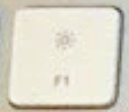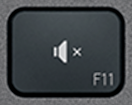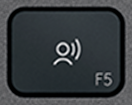
F5 replacement key QWERTY (PT) Black for Logitech MX Keys
F5Replacement key for keyboard Logitech MX Keys
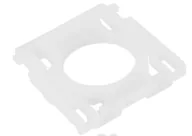 Hinge includedThe white plastic clip that holds the key: shipped with it, ready to snap on.
Colour: Black
This key is out of stock
F5 — QWERTY (PT)
Available now
We have this key for these layouts
Same part, taken from a keyboard of another layout or from another compatible keyboard: the printed legend, or even the colour, may differ slightly.
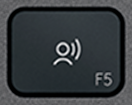
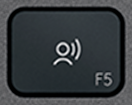
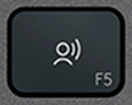
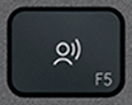
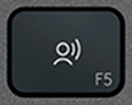
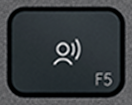
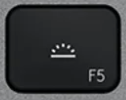
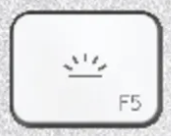

The F5 key is out of stock in QWERTY (PT) on the site. Our keys are usually available to order within 7 to 15 days, and sometimes already in stock. Leave us your email or chat with us: we will check our stock and get back to you.
Only need the white plastic hinge?
Is your key fine and only the hinge broken? Click the button and leave your email: we'll get back to you if we have the hinge in stock.
Not sure?
Not sure this is the right key, or have another question? Ask us on the chat, we'll reply as soon as possible.
Ask a questionVery easy to replace
2 minutes, no need to take the keyboard apart. No skills required.
- Lift the old key by one corner, straight up, with a fingernail or a spudger.
- Clip the supplied hinge onto its hooks.
- Set the new key on top and press the centre until it clicks.
Worried about getting it wrong? We'll send you a video.
Tell us which key you are replacing and we'll send you a video showing, step by step, how to remove it and fit the new one. Free, before or after you order.
Ask for the videoSee how it's done
Video “Logitech MX Keys how to remove keys” by Tin, published on YouTube under the standard YouTube licence: all rights reserved by its author. Keyspares is neither its author nor affiliated with Tin. The player only loads when you click; YouTube may then set cookies (Google privacy policy).
Recommended tools for some keys
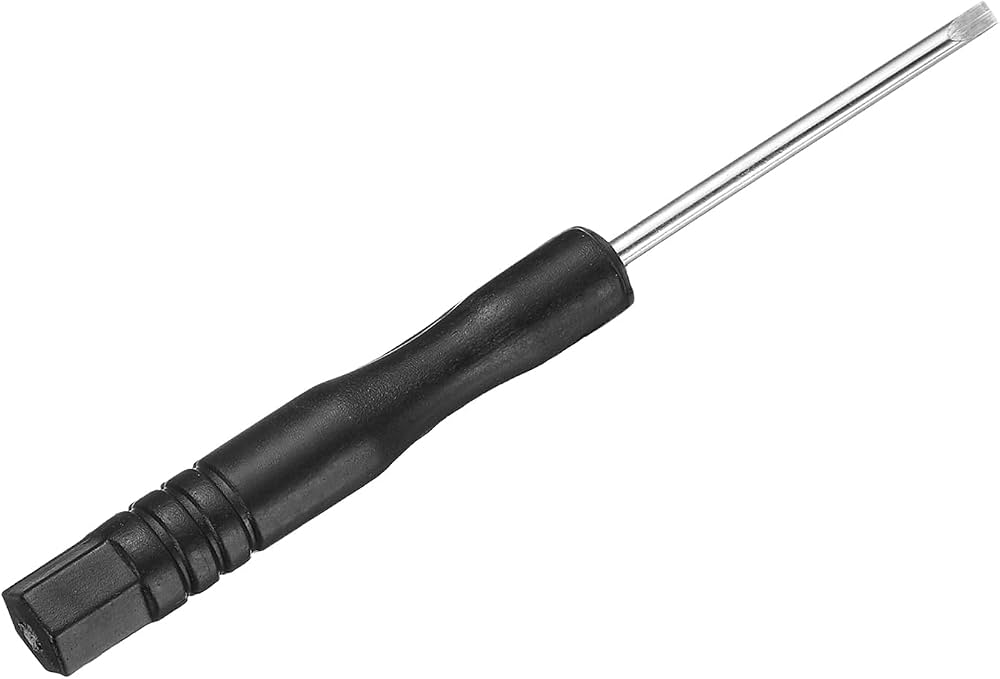
Optional but handy: the spudger lifts the key without scratching or bending the mechanism, and the thin blade of the flat screwdriver unhooks the plastic hinge and helps clip it back in.

Specifications
- Category
- Function keys
- Keyboard layout
- QWERTY (PT)
- Compatibility
- MX Keys (PC)
- Color
- Black
- Size
- 1U (standard)
Compatible with these Logitech keyboards
- Logitech Signature Slim K950
- Logitech MK950 Signature Slim
- Logitech Signature Slim MK955
- Logitech Signature Slim Solar+ K980
- Logitech ERGO K860
On these keyboards, this genuine MX Keys key takes the place of the official one: same scissor mechanism and mounting, with a legend and finish that may differ slightly.
Where is the F5 key and what does it do?
On a full-size Logitech MX Keys, the F5 key sits on the top row, between F4 and F6. By default it triggers the function drawn on the key; held with Fn, it sends F5, which refreshes a web page. Fn + Esc swaps that behaviour for the whole row.
About the F5 replacement key
Has your MX Keys lost its F5 key? This is the part on its own, hinge included, so the top row is complete again without a new keyboard. Genuine Logitech and pre-owned, the F5 key was removed from another keyboard; only the rubber dome is not included.
Compatibility
This F5 keycap fits the full-size MX Keys (MX Keys, MX Keys S and MX Keys for Mac), not the MX Keys Mini, whose top-row caps are shorter. The legend is that of the QWERTY (PT) layout. On the MX Keys S, the top-row keys carry different icons, so this key will not match them exactly.
The F5 key: position, size and wear
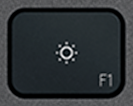
It carries two markings: a drawn icon in the middle and “F5” in a corner — the two functions Fn switches between. The top row has no metal wires either: the cap is held by its X-shaped hinge alone, so a sideways knock while cleaning, or from something resting on the keys, is enough to unhook the F5 key.
How to install it
The F5 key needs no tools: unhook the old cap at a corner, take out any remains of the hinge, clip the supplied hinge in flat, then press the new cap down until you hear the click. To test it, try it alone and then with Fn held: one press triggers the drawn function, the other F5.
F5 key — questions
- Where is the F5 key and what does it do?
- On a full-size Logitech MX Keys, the F5 key sits on the top row, between F4 and F6. By default it triggers the function drawn on the key; held with Fn, it sends F5, which refreshes a web page. Fn + Esc swaps that behaviour for the whole row.
- Does this F5 keycap fit my Logitech MX Keys?
- Yes on a full-size MX Keys (MX Keys, MX Keys S and MX Keys for Mac); no on the MX Keys Mini, whose top-row caps are shorter.
- Is the hinge included with the F5 key?
- Yes, the X-shaped hinge comes with the F5 key — it is often the part that broke. Only the rubber dome is not supplied: it stays in place on the keyboard under the F5 key, and domes are sold in packs among our spare parts.
- My F5 key triggers its icon instead of F5 (or the other way round) — is it broken?
- No, that is the Fn lock. Hold Fn to get the other function, or press Fn + Esc to swap the behaviour of the whole row. A broken key leans, catches or no longer goes down.
Check your keyboard's brand
You are looking at a Logitech key. Keycap and hinge differ between brands: this key will not fit an Apple keyboard.
Apple keys in the catalogue